Job માટે Apply કરતી વખતે Resume એ Recruiter સામે તમારી પ્રથમ ઓળખ હોય છે. પરંતુ ઘણી Companies મોટી સંખ્યામાં Job Applications મેળવે છે, તેથી તેઓ Candidates ના Resume ને Organize કરવા, Search કરવા અને Review કરવામાં મદદરૂપ થતી Applicant Tracking System (ATS) જેવી Software Systems નો ઉપયોગ કરે છે.
જો તમે Fresher છો અને તમારી First Job માટે Apply કરી રહ્યા છો, તો ATS-Friendly Resume બનાવવો તમારા માટે ઉપયોગી બની શકે છે.
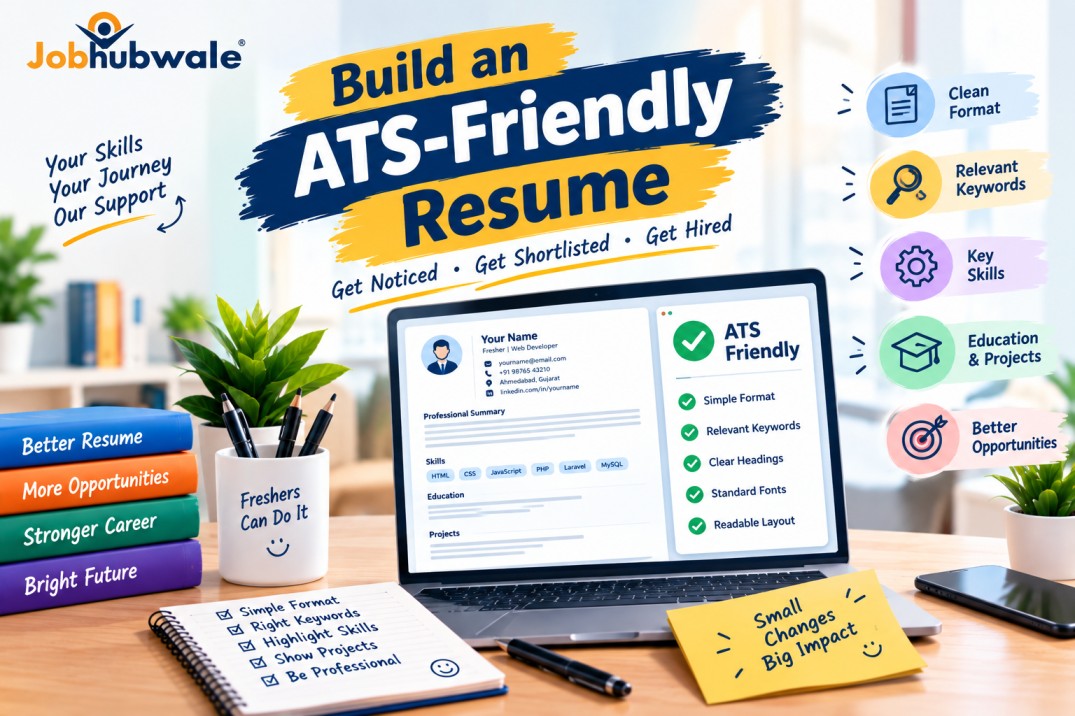
ATS-Friendly Resume એટલે એવો Resume જેનું Format સરળતાથી વાંચી શકાય, જેમાં તમારી Skills અને Qualifications સ્પષ્ટ હોય અને જે સંબંધિત Job Description સાથે સારી રીતે Match થતો હોય.
ચાલો જાણીએ કે એક Professional અને ATS-Friendly Resume કેવી રીતે બનાવવો.
1. Simple અને Professional Resume Format પસંદ કરો
Resume બનાવતી વખતે Simple Layout પસંદ કરો. ખૂબ જ Complex Design, અનેક Columns, Text Boxes અથવા Decorative Elements નો વધુ ઉપયોગ ટાળો, કારણ કે કેટલાક ATS Tools આવા Formats માંથી Information યોગ્ય રીતે Extract કરી શકતા નથી.
તમારા Resume માં નીચેના Sections રાખી શકો છો:
Contact Information
Professional Summary અથવા Career Objective
Skills
Education
Projects
Internship અથવા Work Experience, જો હોય તો
Certifications, જો સંબંધિત હોય તો
Resume ને સરળતાથી વાંચી શકાય તે રીતે Structure કરો અને દરેક Section માટે સ્પષ્ટ Heading રાખો.
2. Job Description પ્રમાણે Resume તૈયાર કરો
દરેક Job Role માટે એકસરખો Resume મોકલવાને બદલે Job Description ધ્યાનથી વાંચો.
Company કઈ Skills, Qualifications અને Responsibilities માટે Candidate શોધી રહી છે તે સમજો. ત્યારબાદ તમારી પાસે રહેલી Relevant Skills અને Experience ને Resume માં Highlight કરો.
ઉદાહરણ તરીકે, જો Job Description માં Excel, Data Entry અને Reporting જેવી Skills જરૂરી હોય અને તમને આ Skills આવડતી હોય, તો તેને તમારા Resume ના Skills Section માં યોગ્ય રીતે ઉમેરો.
યાદ રાખો: Resume માં માત્ર એ જ Skills ઉમેરો જે ખરેખર તમને આવડે છે.
3. Relevant Keywords નો ઉપયોગ કરો
ATS-Friendly Resume માં Keywords મહત્વપૂર્ણ ભૂમિકા ભજવી શકે છે.
Keywords એટલે Job Role સાથે સંબંધિત શબ્દો, Skills, Qualifications અને Tools ના નામ.
ઉદાહરણ તરીકે:
Web Developer: HTML, CSS, JavaScript, PHP, Laravel
Digital Marketing: SEO, Social Media Marketing, Google Analytics
Accountant: MS Excel, Accounting, Tally, Financial Reporting
Customer Support: Communication, Customer Service, Problem Solving
Data Analyst: SQL, Excel, Data Analysis, Reporting
આ માત્ર ઉદાહરણો છે. તમારી Job Description માં દર્શાવેલી Relevant Requirements અને તમારી વાસ્તવિક Skills પ્રમાણે Keywords પસંદ કરો.
Keywords ને Resume માં સ્વાભાવિક રીતે ઉપયોગ કરો. માત્ર ATS ને અનુકૂળ બનાવવા માટે Keywords વારંવાર લખવા અથવા છુપાવેલા Text નો ઉપયોગ કરવો યોગ્ય નથી.
4. Contact Information સ્પષ્ટ રીતે લખો
તમારી Contact Information એવી રીતે ઉમેરો કે Recruiter તમને સરળતાથી Contact કરી શકે.
આ Information સામેલ કરી શકો છો:
Full Name
Professional Email Address
Mobile Number
City અને State
LinkedIn Profile, જો ઉપલબ્ધ હોય
Portfolio અથવા GitHub Link, જો Job Role માટે Relevant હોય
Contact Information ને Resume ના મુખ્ય Text માં રાખવું વધુ સુરક્ષિત છે. કેટલાક ATS Tools Header અથવા Footer માં રહેલી Information યોગ્ય રીતે Read ન કરી શકે.
તમારી Personal Information માં માત્ર Job માટે જરૂરી વિગતો જ ઉમેરો.
5. Professional Summary અથવા Career Objective લખો
Resume ની શરૂઆતમાં 2 થી 4 Lines નો Short Professional Summary અથવા Career Objective લખી શકો છો.
આમાં તમારી Qualification, Relevant Skills અને Career Goal વિશે ટૂંકમાં જણાવો.
ઉદાહરણ:
"Motivated BCA graduate with foundational knowledge of HTML, CSS, JavaScript and PHP. Interested in applying technical skills, learning from experienced professionals and contributing to web development projects."
આ Summary માત્ર ઉદાહરણ છે. તમારી Qualification અને Skills પ્રમાણે તેને Customize કરો.
Generic Statements લખવાને બદલે તમારી વાસ્તવિક Skills અને Career Interest દર્શાવો.
6. Skills Section યોગ્ય રીતે બનાવો
તમારી Technical Skills અને Job-Related Soft Skills ને અલગ રીતે રજૂ કરી શકો છો.
ઉદાહરણ:
Technical Skills
HTML, CSS, JavaScript
PHP અને Laravel
MySQL
Git અને GitHub
Soft Skills
Communication
Teamwork
Problem Solving
Time Management
ઉપરની Skills માત્ર Web Development Job માટેનું ઉદાહરણ છે. તમે જે Role માટે Apply કરો છો તેના પ્રમાણે Skills પસંદ કરો.
તમને જે Skills નો Basic Knowledge છે અને જેમાં તમે Expert છો, તે બંને વચ્ચેનો તફાવત સમજવો જરૂરી છે. Interview દરમિયાન તમારી Skills વિશે પ્રશ્નો પૂછાઈ શકે છે.
7. Freshers માટે Education અને Projects Highlight કરો
જો તમારી પાસે Professional Experience નથી, તો Education અને Projects તમારા Resume ના મહત્વપૂર્ણ Sections બની શકે છે.
Education Section માં નીચેની વિગતો ઉમેરો:
Degree અથવા Qualification
College અથવા Institute નું નામ
Passing Year અથવા Expected Graduation Year
Relevant Academic Details, જો જરૂરી હોય
Projects Section માં Project Name, તેનો Purpose, તમે કઈ Technologies વાપરી અને તેમાં તમારું Contribution શું હતું તે જણાવો.
8. યોગ્ય File Format માં Resume Save કરો
ઘણી Job Applications માં PDF Format નો Resume સ્વીકારવામાં આવે છે. જોકે, જો Employer ખાસ DOCX અથવા અન્ય Format માંગે, તો તે Format જ Submit કરો.
PDF બનાવ્યા પછી ખાતરી કરો કે Text Select અને Copy કરી શકાય છે. જો આખો Resume માત્ર Image તરીકે Save થયો હોય, તો ATS તેને યોગ્ય રીતે Read ન કરી શકે.
File Name પણ Professional રાખો.
ઉદાહરણ:
YourName_Resume.pdf
Resume Upload કર્યા પછી જો Application Form માં Information Automatically Fill થાય, તો તેની Accuracy જરૂર તપાસો.
9. Resume ને Readable અને Concise રાખો
Resume માં જરૂરી Information જ રાખો. લાંબા Paragraphs ને બદલે ટૂંકા Sentences અને Bullet Points નો ઉપયોગ કરો.
Readable Font, યોગ્ય Font Size અને પૂરતું Spacing રાખો.
Freshers માટે એક Page નો Resume ઘણી વખત પૂરતો હોય છે. પરંતુ જો તમારી પાસે Relevant Projects, Internships અથવા Experience વધુ હોય, તો જરૂરી Information સ્પષ્ટ રીતે રજૂ કરવા માટે વધુ જગ્યા લઈ શકો છો.
Resume માં Grammar, Spelling અને Formatting Errors ન રહે તેનું ધ્યાન રાખો.
10. Resume માં આ Common Mistakes ટાળો
ATS-Friendly Resume બનાવતી વખતે નીચેની ભૂલો ટાળવાનો પ્રયાસ કરો:
ખૂબ જ Complex Resume Templates નો ઉપયોગ
Job Description સાથે સંબંધિત Keywords નો અભાવ
ખોટી અથવા વધારીને દર્શાવેલી Skills
Spelling અને Grammar Mistakes
જરૂરી Contact Information ન ઉમેરવી
Skills ને વારંવાર લખવી
Important Information ને Images માં મૂકવી
ખોટો અથવા Unsupported File Format Upload કરવો
દરેક Job માટે એકસરખો Resume મોકલવો
Resume માં Irrelevant Personal Information ઉમેરવી
આ બાબતો સુધારવાથી Resume વધુ Clear અને Professional બની શકે છે.
11. Resume Submit કરતાં પહેલાં Checklist
તમારો Resume Submit કરતાં પહેલાં આ Checklist તપાસો:
Name અને Contact Information સાચાં છે.
Resume માં સ્પષ્ટ Headings છે.
Job માટે Relevant Skills દર્શાવેલી છે.
Education અને Projects ની Information સાચી છે.
Job Description પ્રમાણે Resume Customize કર્યો છે.
Keywords નો ઉપયોગ સ્વાભાવિક રીતે કર્યો છે.
Spelling અને Grammar તપાસી છે.
File Format Employer ની Requirements પ્રમાણે છે.
PDF માં Text યોગ્ય રીતે Read થાય છે.
Resume માં ખોટી Information નથી.
Frequently Asked Questions (FAQs)
1. ATS-Friendly Resume શું છે?
ATS-Friendly Resume એવો Resume છે જેનું Structure સરળ હોય અને જેમાંથી ATS Software તમારી Qualifications, Skills અને અન્ય Information સરળતાથી Extract કરી શકે.
2. Freshers માટે ATS-Friendly Resume બનાવવો જરૂરી છે?
જો તમે એવી Company માં Apply કરો છો જે ATS નો ઉપયોગ કરે છે, તો ATS-Friendly Format ઉપયોગી થઈ શકે છે. દરેક Company ATS વાપરે જ છે એવું નથી.
3. ATS-Friendly Resume માટે કયો Format સારો છે?
Simple, Single-Column Format અને Standard Headings સામાન્ય રીતે સારી પસંદગી છે. જોકે, Employer ની Instructions પ્રમાણે File Format પસંદ કરવો જોઈએ.
4. ATS-Friendly Resume માં Photo ઉમેરવો જોઈએ?
ઘણી Job Applications માટે Photo જરૂરી નથી. જો Employer અથવા Job Application ખાસ Photo માંગે, તો જ તેની Requirement પ્રમાણે ઉમેરો.
5. શું ATS-Friendly Resume બનાવવાથી Job ચોક્કસ મળે છે?
ના. ATS-Friendly Resume તમારી Information યોગ્ય રીતે રજૂ કરવામાં મદદ કરી શકે છે, પરંતુ Job Selection તમારી Qualifications, Skills, Experience, Competition અને Employer ની Requirements સહિત અનેક બાબતો પર આધારિત છે.
Conclusion
ATS-Friendly Resume બનાવવાનો મુખ્ય હેતુ તમારી Skills, Education અને Projects ને સ્પષ્ટ તથા Professional રીતે રજૂ કરવાનો છે.
જો તમે Fresher છો, તો તમારી Relevant Skills, Academic Projects, Internships અને Certifications પર ધ્યાન આપો. Job Description વાંચો, Resume ને તે પ્રમાણે Customize કરો અને Submit કરતાં પહેલાં તેની Accuracy તપાસો.
યાદ રાખો, એક સારો Resume તમારી Qualifications ને યોગ્ય રીતે રજૂ કરે છે અને Recruiter ને સમજવામાં મદદ કરે છે કે તમે Job Role માટે કેટલા યોગ્ય છો.
આજે જ તમારો Resume Update કરો અને JobHubWale પર તમારી Skills અને Career Goals પ્રમાણે યોગ્ય Job Opportunities શોધવાનું શરૂ કરો!